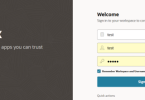


Failure of Web Server bridge
Solution : Go to the browser then restart the browser , if not solve the issue then go to the browser setting option and make your browser on default .
Error Type: Failure of Web Server bridge: No backend server available for connection: timed out after 10 seconds or idempotent set to OFF or method not idempotent.
Oracle Apex Login and Background Image Code:
Below code declared into Inline code on Login Page.
span.t-Login-logo {
background-image: url(#APP_FILES#logo.png);
background-size: cover;
width: 100px;
height: 100px;
}
.t-Login-containerBody {
background: url(#APP_FILES#linkedin_banner_image_2.png);
background-size: cover;
width: 100%;
height: 100%;
}
.t-Login-header {
padding: 24px 0;
color: black;
}

If you’d like me to proceed with any of these, please just let me know from the site techtweet.xyz! Also if you need to learn something new than subscribe YouTube : ASP.NET With SQL SERVER